What you see inside Shopify
Snipwell lives in your Shopify admin, next to your other apps. These are real screens, not mockups.
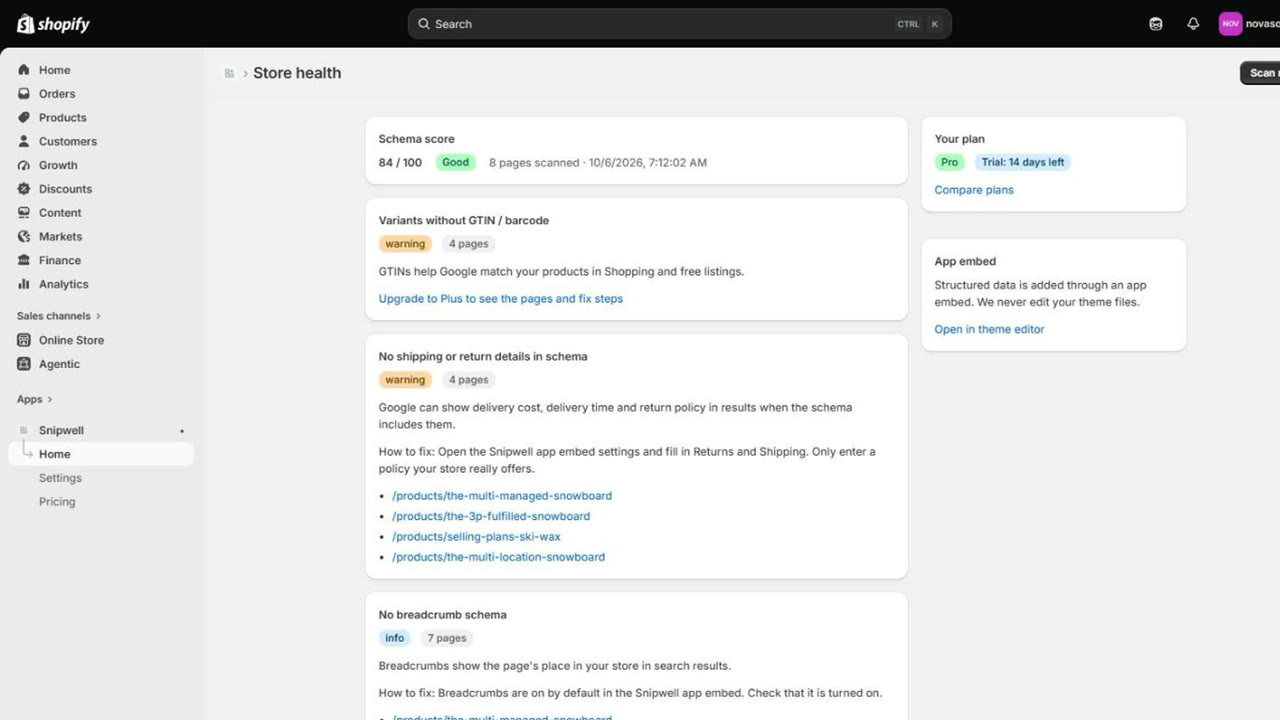
Snipwell adds clean structured data to your store and scans every page for the problems that keep rich snippets from showing.
Enter your myshopify.com domain to open Snipwell in your admin.
All-mountain board with a lightweight poplar core. Ships in 1–2 days. Available in 152, 158 and 162 cm.
Two jobs in one app: add the structured data your theme is missing, and keep checking that nothing breaks it.
Product, ProductGroup, Offer, availability, price and ratings in clean JSON-LD, added through a theme app embed.
Snipwell uses the same identifiers as Shopify's standard product schema, so on current themes like Dawn and Horizon Google merges both into one product. If an older theme prints its own, the scan tells you.
Reads your storefront like Google does and lists invalid JSON, duplicates and missing fields with the exact pages.
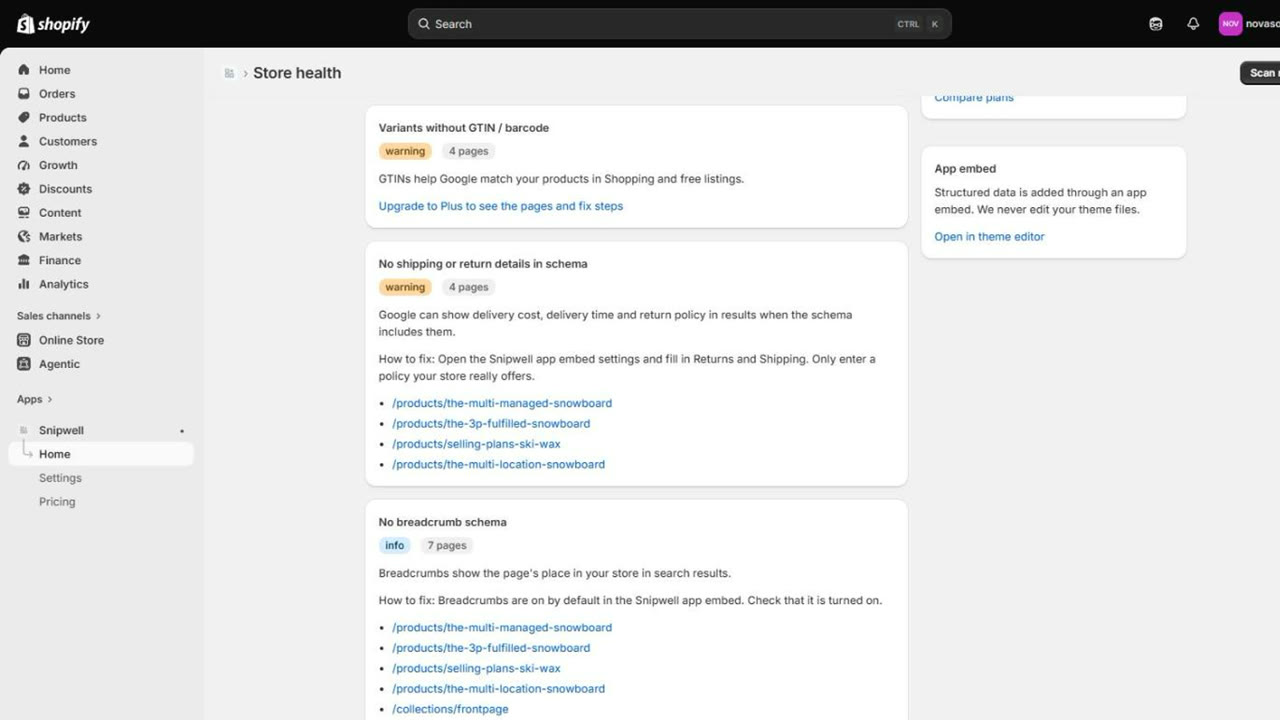
Finds products without a barcode or brand, and schema without shipping or return details, which Google needs for full listings.
Lists the old script tags still running on your storefront and the days left before Shopify stops them on March 1, 2027.
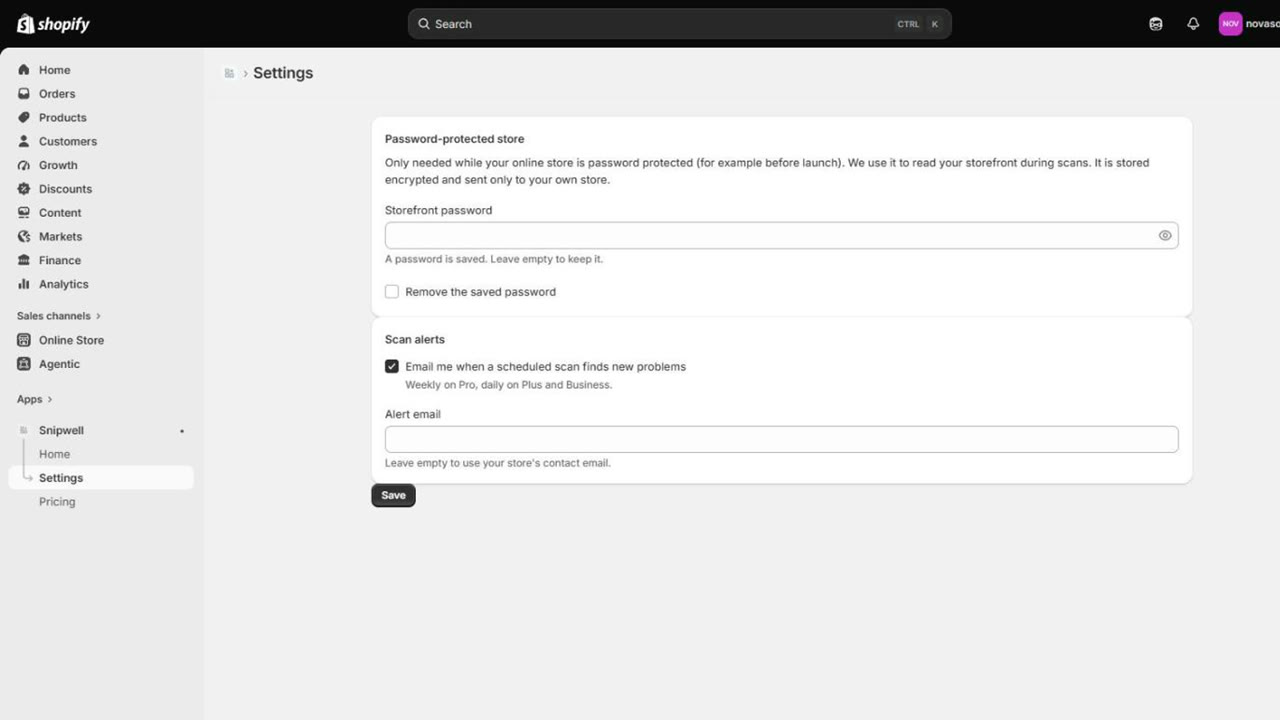
Weekly or daily rescans on paid plans, with an email only when something new breaks.
No code, no theme edits, nothing to undo later.
One toggle in your theme editor adds the schema to every product, collection, blog and home page.
Snipwell reads your storefront the way Google does and gives you a score with a short list of issues.
Each issue shows the pages affected and the fix: a barcode to add, a policy to fill in, an app to switch off.
Snipwell lives in your Shopify admin, next to your other apps. These are real screens, not mockups.
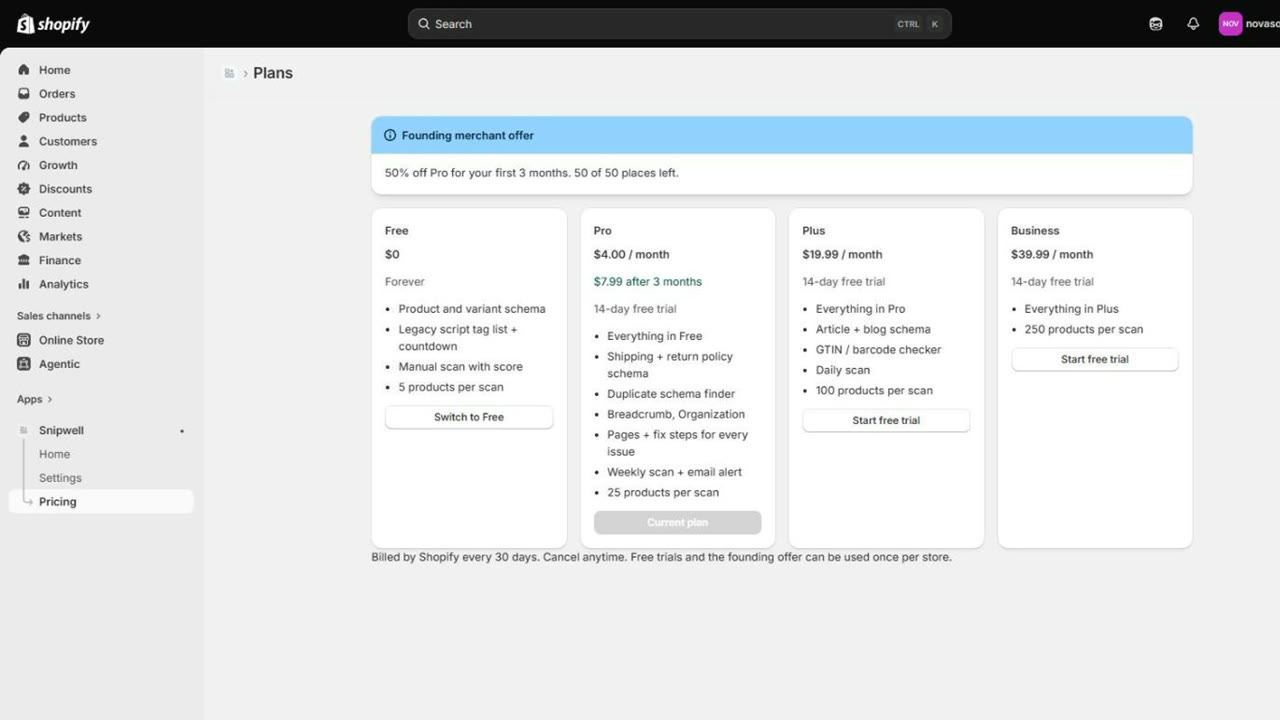
Start free. Upgrade when you want the page list, fix steps and scheduled scans. Cancel anytime.
Anything else? Write to support@novasoft.ge, we answer in writing within one working day.
No. Structured data is added through a Shopify app embed that you switch on in the theme editor. Your theme files, products and settings are never edited, and turning the embed off removes everything.
Correct structured data makes rich results possible, but Google decides when to show them. Snipwell makes sure your pages are eligible and tells you exactly what is missing.
Not on current themes. Snipwell uses the same identifiers as Shopify's standard product schema, which themes like Dawn and Horizon print, so Google merges both into one product. Some older themes print their own schema without these identifiers: the scan flags it and shows how to keep just one. If another app also prints schema, the scan shows that too.
No. Snipwell only asks for read access to products and themes. It never sees orders or customers.
Yes. Add the storefront password in Settings and the scan reads your store through it. The password is stored encrypted and sent only to your own store.
The free plan scans five products and lists your legacy script tags. No card needed.
Open Snipwell in Shopify